 TabTasker
Which AskYourPDF alternatives keep your files truly private?
The best privacy-focused alternatives to AskYourPDF.com process files entirely in your browser, meaning your documents never leave your device. Tabtasker leads that category. Smallpdf, Elicit, and Consensus each serve different slices of the same need, though with meaningful trade-offs on privacy, pricing, and feature depth.
Before comparing them, it's worth asking a question most "free tool" reviews skip: if a platform is processing your PDFs on its servers, who else might have access to them? That's not paranoia. It's the right question.
| Tool | Privacy model | File formats | Free tier | Paid pricing |
|---|---|---|---|---|
| Tabtasker | Fully offline, in-browser | PDF, images, audio, CSV, Markdown | Unlimited, free | Free |
| AskYourPDF | Cloud-based | PDF primarily | Limited | — |
| Smallpdf | Cloud-based | PDF, Word, Excel, PPT | Daily task cap | Paid plans available |
| Elicit | Cloud-based | PDFs, academic papers | Limited searches | Paid plans available |
| Consensus | Cloud-based | Academic papers | Limited | Paid plans available |

Tabtasker is the only tool in this group that guarantees zero file uploads. Every other option sends your document to a remote server at some point in the workflow.
Table of Contents
- How do privacy, features, pricing, and usage limits compare?
- How do you pick the right offline PDF tool for your workflow?
- What makes Tabtasker's offline PDF tools different?
- What kind of support and community resources should you expect?
- How do these tools handle your data and security?
- Tabtasker: private PDF tools with nothing to hide
- Key Takeaways
How do privacy, features, pricing, and usage limits compare?
Privacy and data handling
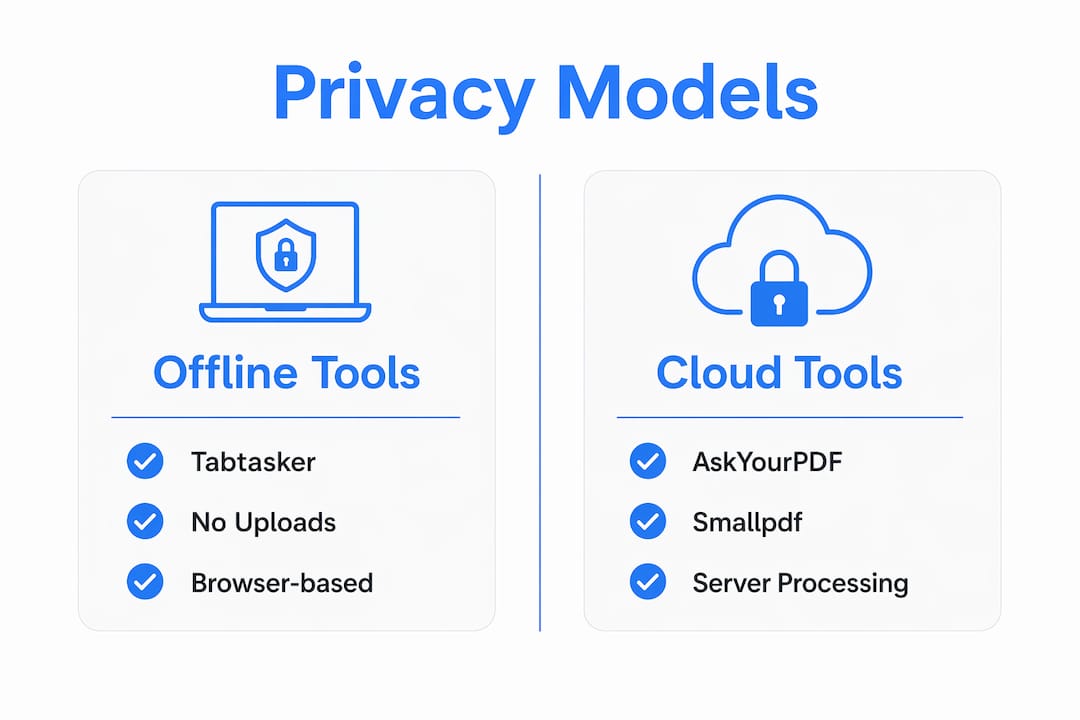
Cloud-based tools like AskYourPDF and Smallpdf process files on their servers. Smallpdf attracts tens of millions of monthly users but enforces daily task limits and file size caps, which nudges users toward paid plans. That model works fine for casual, non-sensitive documents. For anything confidential, the upload itself is the risk.
Elicit and Consensus take a different approach entirely. They're AI research assistants built for academic literature, not general PDF editing. Consensus searches peer-reviewed papers; Elicit extracts structured data across multiple studies. Neither replaces a PDF editor, and both require cloud connectivity.
Tabtasker runs everything client-side. No upload, no account, no server ever touches your file.
Feature sets and format support
- AskYourPDF: Strong multi-document search and a ChatGPT plugin, but primarily focused on PDFs with limited editing beyond Q&A
- Smallpdf: Broad format support (PDF, Word, Excel, PowerPoint) with conversion, compression, and basic editing, all cloud-processed
- Elicit: Systematic multi-paper extraction, data tables, and citation management for academic workflows
- Consensus: Peer-reviewed literature search with evidence summaries; not a PDF editor at all
- Tabtasker: PDF signing, verification, OCR, compression, image editing, audio tools, CSV and Markdown editors, all offline
Pricing and usage limits
AskYourPDF offers paid plans starting at $9.99/month for Premium and $14.99/month for Pro, with annual discounts. Smallpdf's free tier caps daily tasks, which becomes frustrating quickly for anyone processing more than a handful of files. Elicit and Consensus both gate their most useful research features behind subscriptions.
Tabtasker is free with no usage caps and no account required. That's not a promotional claim. It's the model.
| Criterion | Tabtasker | AskYourPDF | Smallpdf | Elicit | Consensus |
|---|---|---|---|---|---|
| Offline processing | Yes | No | No | No | No |
| No account needed | Yes | No | No | No | No |
| PDF editing | Yes | Limited | Yes | No | No |
| Research/citation tools | No | Yes | No | Yes | Yes |
| Free with no caps | Yes | No | No | No | No |
How do you pick the right offline PDF tool for your workflow?
The honest answer is that the "best" tool depends entirely on what you're actually trying to do. Two questions cut through the noise fast.
First: do you need to chat with a PDF, or do you need to edit and handle one? Tools like AskYourPDF and Elicit are built for the former. Tabtasker is built for the latter. Mixing up those categories leads to frustration, not productivity.
Second: how sensitive is the document? A lease agreement, a medical record, a signed contract — these should never touch a third-party server. A publicly available research paper is a different story.
Use this checklist before committing to any tool:
- File formats: Do you work with PDFs only, or also Word docs, spreadsheets, and images?
- Research depth: Do you need multi-document synthesis and citation management, or single-document editing?
- Annotation needs: Do you require highlighting, commenting, or form-filling on the document itself?
- Device and browser: Does the tool work on your specific setup without installing software?
- Privacy floor: Is "no upload" a hard requirement, or is a reputable cloud provider acceptable?
- Budget: Are you willing to pay monthly, or do you need a genuinely free option?
Pro Tip: Before committing to any AI PDF chat tool, test it on a scanned document first. OCR quality varies dramatically, and a tool that stumbles on a scanned page will frustrate you every time you use it. If you're working with scanned files regularly, consider preprocessing them locally with dedicated OCR software before running them through any AI analysis tool.
For users who need to securely send a PDF after editing, the handling chain matters as much as the editing tool itself.
What makes Tabtasker's offline PDF tools different?
Tabtasker's core design choice is one most tools avoid: nothing ever leaves your browser. Files are processed using client-side JavaScript, which means your device does the work, not a remote server. There's no account to create, no session to log into, and no file stored anywhere but your own machine.
That architecture covers a wider range of tasks than most users expect from a browser-based tool:
- Sign PDFs offline without uploading to any server
- Verify signed PDFs to confirm signature integrity locally
- Run OCR and compression to create searchable PDFs from scanned documents
- Edit images, remove backgrounds, and process audio files, all in the same toolbox
- Work with CSV files, Markdown documents, and more without switching platforms
Browser compatibility is broad. Tabtasker works across Chrome, Firefox, Safari, and Edge without plugins or extensions. No installation, no admin rights needed.
The privacy benefit here isn't theoretical. When a tool processes files on your device, there is no transmission event for a breach to intercept. That's a structurally different security posture than trusting a cloud provider's privacy policy.
What kind of support and community resources should you expect?
Support quality across this category varies more than pricing does. Cloud-based platforms like AskYourPDF and Smallpdf typically offer help centers, email support, and community forums, with faster response times gated behind paid tiers. If you're on a free plan, expect documentation and self-service resources rather than live assistance.
Elicit and Consensus, being research-focused tools, tend to have active academic user communities and detailed methodology documentation. That's genuinely useful if you're doing systematic literature reviews, but it won't help you sign a contract or compress a PDF.
Tabtasker's tools are designed to be self-explanatory, which reduces the support burden by design. When a tool runs entirely in your browser with no account and no onboarding flow, there's less to go wrong and less to explain. For users who want to understand the privacy model in depth, the guide to signing PDFs without uploading walks through exactly how client-side processing works in practice.
How do these tools handle your data and security?
This is where the category splits most sharply. Cloud-based tools operate under privacy policies that govern how long files are retained, whether they're used for model training, and who has access under what circumstances. Most reputable platforms delete uploaded files within hours or days. But "deleted" and "never transmitted" are not the same thing.
For truly sensitive documents, the only guarantee that matters is that the file never left your device. That's a technical guarantee, not a policy one. Tabtasker's client-side architecture provides it. The others don't, regardless of how strong their privacy policies read.
For users comparing privacy-focused PDF tools directly, the Tabtasker vs. iLovePDF comparison lays out the structural differences between offline and cloud-based processing in plain terms.
Tabtasker: private PDF tools with nothing to hide
If you've been using AskYourPDF for basic document tasks and you're starting to wonder what happens to your files after you upload them, that instinct is worth following. The tools that matter most for sensitive work are the ones that never ask for your file in the first place.
Tabtasker gives you PDF signing, verification, OCR, image editing, audio processing, and a private file sharing tool that works browser-to-browser without a server in the middle. No subscription. No account. No upload.
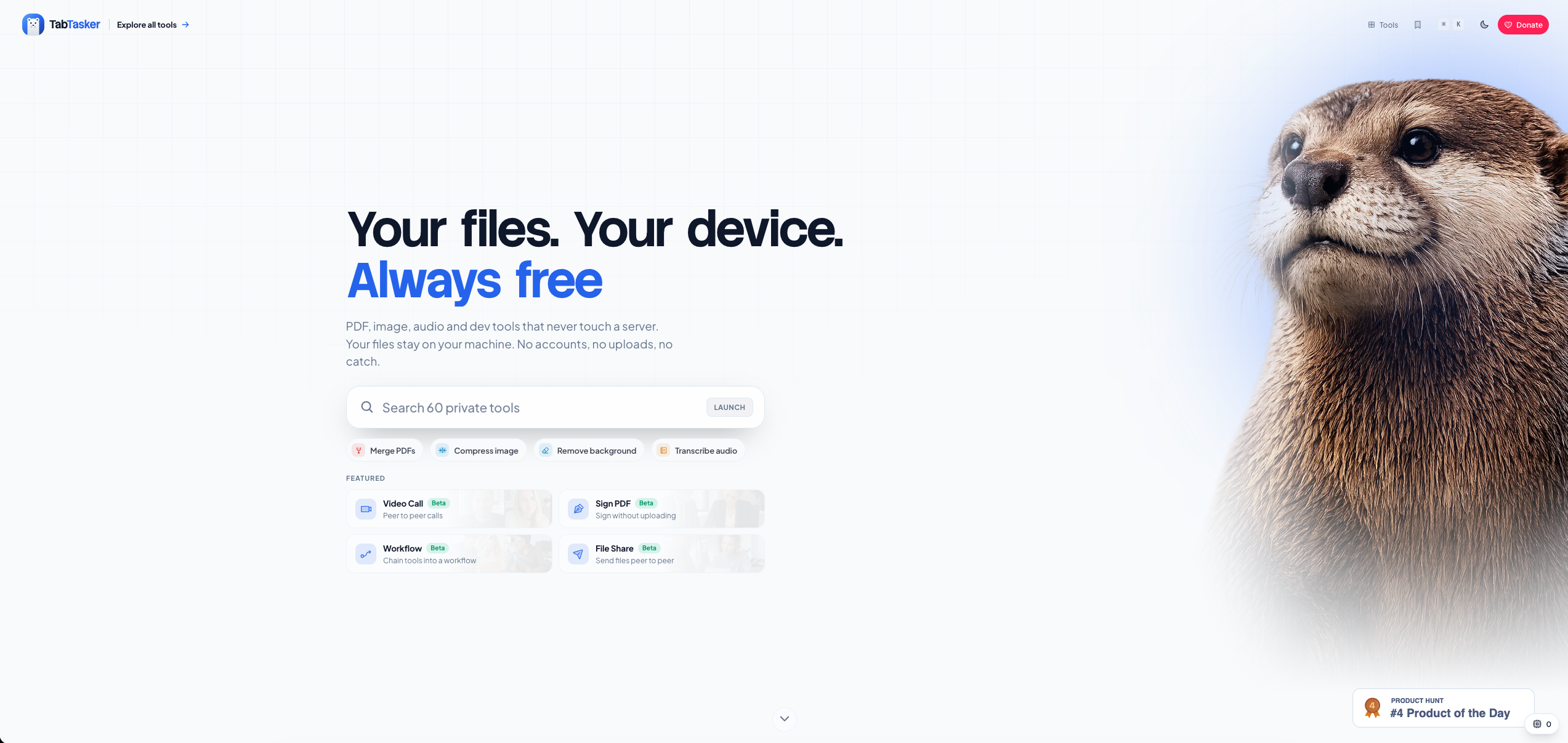
Every tool runs free, directly in your browser, right now. If you work with documents that matter, that's the standard worth holding other tools to. Try Tabtasker at tabtasker.com and see what private actually means.
Key Takeaways
Tabtasker is the only tool in this comparison that processes files entirely in-browser with no uploads, no account, and no usage caps, making it the strongest choice for privacy-conscious PDF workflows.
| Point | Details |
|---|---|
| Offline processing matters | Only Tabtasker guarantees files never leave your device; all other tools in this comparison use cloud servers. |
| Tool category shapes expectations | AskYourPDF and Elicit are PDF chat tools; Tabtasker is a file editing suite — matching the tool to the task prevents frustration. |
| Free tiers have real limits | AskYourPDF offers paid plans starting at $9.99/month for Premium and $14.99/month for Pro with annual discounts; Smallpdf caps free daily tasks; Tabtasker imposes no caps and charges nothing. |
| OCR quality affects AI accuracy | Preprocessing scanned PDFs locally before using any AI chat tool significantly improves output quality. |
| Tabtasker's privacy model | Client-side JavaScript processing means no transmission event exists for a breach to intercept. |