 TabTasker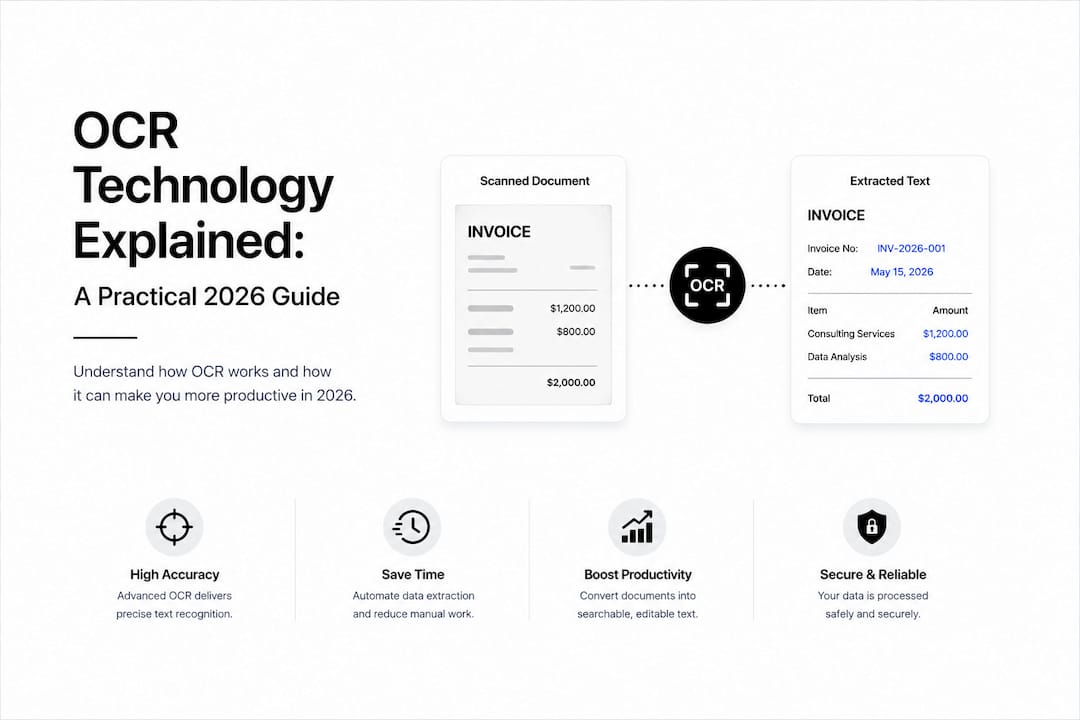
TL;DR:
- Optical character recognition (OCR) transforms images of text into editable digital formats using neural networks. Its accuracy heavily depends on input quality, but pairing OCR with AI validation can significantly reduce errors and processing time. Using local, browser-based OCR tools ensures data privacy while maintaining high accuracy for sensitive documents.
Optical character recognition (OCR) is defined as the process of converting images of text, whether printed, handwritten, or scanned, into editable, machine-readable formats. What is OCR technology explained simply? It is the engine behind every scanned invoice your accounting software reads, every passport your bank verifies in seconds, and every PDF you search by keyword. Tools like Amazon Textract, open-source Tesseract, and AI-powered platforms have pushed OCR far beyond basic digitization. Today, OCR sits at the center of automated document workflows across finance, healthcare, and legal sectors, cutting manual data entry from hours to seconds.
What is OCR technology explained: how it works step by step
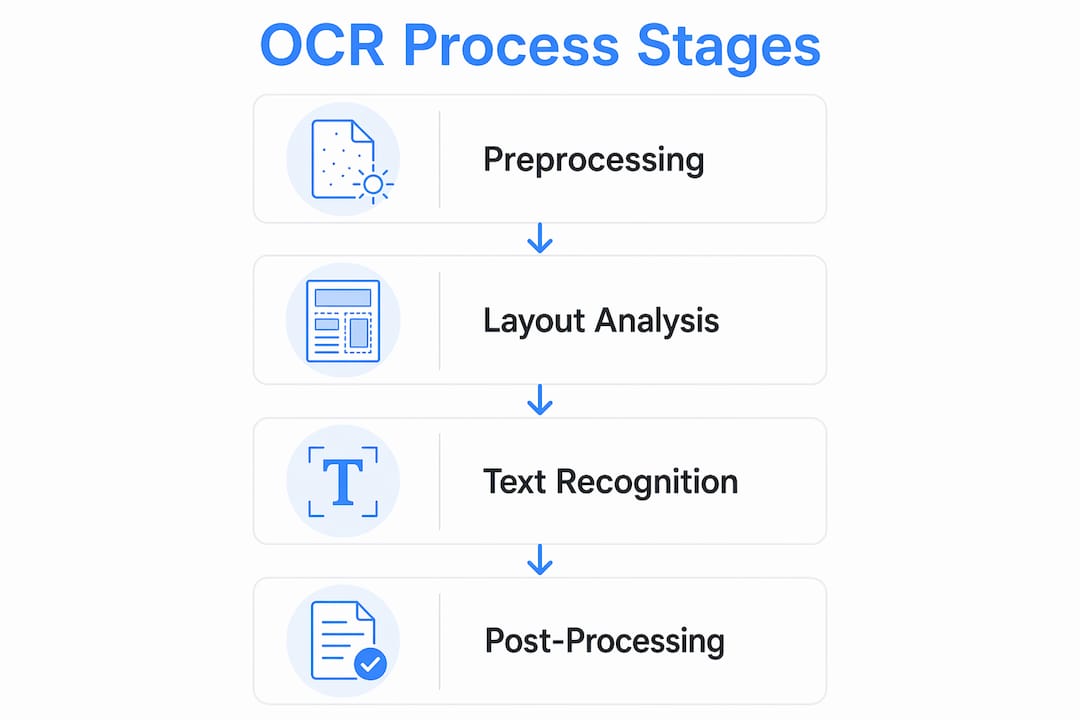
OCR converts a static image into living, searchable text through four distinct stages. Understanding each stage tells you exactly where accuracy is won or lost.

Stage 1: Preprocessing. The system cleans the raw image before any recognition begins. This means deskewing tilted scans, removing noise, adjusting contrast, and converting color images to grayscale. Input image quality is the single biggest factor in OCR accuracy. No algorithm, however sophisticated, fully compensates for a blurry or low-contrast scan.
Stage 2: Layout Analysis and Segmentation. The cleaned image is divided into regions: columns, paragraphs, lines, words, and individual characters. This stage tells the engine where text lives on the page and in what reading order. Tables, headers, and footnotes each get classified separately.
Stage 3: Character and Text Recognition. This is where modern OCR separates itself from its predecessors. Legacy systems matched pixel patterns against stored templates, one character at a time. Modern OCR uses deep learning, specifically Convolutional Recurrent Neural Networks (CRNNs), treating recognition as a sequence-to-sequence problem. The convolutional layers extract visual features from each line of text. The recurrent layers model the sequence of characters in context. A technique called Connectionist Temporal Classification (CTC) loss aligns variable-length image sequences with text output without requiring pixel-level character boundary labels. The result: 99%+ accuracy on printed text under good conditions.
Stage 4: Post-Processing. Raw recognition output passes through language models and dictionary checks. These catch transposition errors and contextually implausible character sequences. A word flagged as low-confidence gets re-evaluated against known vocabulary before the final text is returned.
Pro Tip: Before running any document through an OCR tool, use an image editor to boost contrast and straighten the scan. This single step can raise your accuracy more than switching to a more expensive OCR engine.
Where is OCR actually used? applications across industries
OCR technology applications span nearly every sector that handles paper or image-based records. Here is where it delivers the most measurable impact:
-
Finance and accounting. Invoice and receipt scanning feeds structured data directly into ERP systems like SAP or QuickBooks. OCR in finance and healthcare centers on structural data extraction for automation workflows, not just digitization.
-
Banking. Banks deploy AI-powered OCR to automate check reading, loan applications, identity documents, and bank statements for digital processing and regulatory compliance. Fields are identified and extracted automatically, reducing manual review queues.
-
Identity verification. Sun Finance combined Amazon Textract, Amazon Bedrock, and Amazon Rekognition to automate ID extraction and fraud detection. The result: extraction accuracy jumped from 79.7% to 90.8%, and processing time dropped from 20 hours to under 5 seconds. That is not an incremental improvement. It is a fundamental redesign of what document processing can look like.
-
Healthcare. Patient intake forms, lab reports, and insurance claims get digitized and routed into electronic health record systems. Manual transcription errors drop significantly.
-
Legal. Contract review tools extract clauses, dates, and party names from scanned agreements, feeding them into contract lifecycle management platforms.
-
Assistive technology. Screen readers for visually impaired users rely on OCR to interpret text in images, making the web and printed materials accessible.
-
Everyday use. You use OCR every time you extract text from a photo, search inside a scanned PDF, or let your phone translate a restaurant menu in a foreign language.
The trend across all these sectors points in one direction: combining OCR with AI for smart document processing workflows that route, validate, and act on extracted data automatically.
What are the real benefits and limits of OCR technology?
OCR delivers three concrete benefits that matter to professionals: speed, cost reduction, and searchability. A document that took a human 10 minutes to transcribe takes a modern OCR system under a second. At scale, that arithmetic transforms entire departments.
“Combining specialized OCR with generative AI validation improved extraction accuracy from 79.7% to 90.8%, reducing document processing time from 20 hours to under 5 seconds and cutting costs by 91%.” — Sun Finance case study via AWS
That 91% cost reduction from the Sun Finance deployment is not a marketing claim. It reflects what happens when you replace a manual review pipeline with a well-architected OCR plus AI validation system.
The limits are equally real. OCR accuracy depends heavily on input quality. Faded ink, skewed scans, handwritten notes, and unusual fonts all degrade results. OCR is also not a universal reader. Highly stylized text, watermarks, and overlapping elements can confuse even the best engines.
Multi-tier OCR architectures address this directly. A primary OCR engine handles the bulk of documents. A validation layer checks confidence scores. When confidence drops below a threshold (typically 90–95%), a fallback model or a human reviewer steps in. This design raises extraction accuracy from around 80% to over 90% in high-stakes environments. The lesson here is that OCR is not a magic wand. It is a component in a larger system, and that system needs to be designed with failure modes in mind.
Pro Tip: Set a confidence threshold in your OCR pipeline. Any extraction scoring below 90% should trigger a secondary check, whether by a fallback model or a human reviewer. Skipping this step is where costly errors enter your data.
How do OCR tools compare? engines, features, and privacy
Choosing an OCR tool means understanding what tradeoffs you are actually making. The table below covers the most widely used options:
| Tool | Type | Accuracy (Printed Text) | Handwriting Support | Privacy Model | Best For |
|---|---|---|---|---|---|
| Amazon Textract | Cloud, AI-powered | Very high | Yes | Cloud upload required | Enterprise document pipelines |
| Tesseract | Open-source, local | High | Limited | Fully local | Developers, custom builds |
| Google Cloud Vision | Cloud, AI-powered | Very high | Yes | Cloud upload required | Multi-language, high volume |
| Tabtasker OCR | Browser-based, offline | High | Limited | No upload, fully local | Privacy-conscious individuals |
| ABBYY FineReader | Desktop/cloud | Very high | Yes | Configurable | Legal, finance professionals |
A few distinctions worth noting:
-
Traditional vs. AI-enhanced OCR. Traditional engines like early Tesseract use pattern matching. AI-enhanced tools use neural networks that understand context, making them far more reliable on degraded or complex documents.
-
Handwriting recognition. Amazon Textract and Google Cloud Vision handle handwriting reasonably well. Open-source Tesseract struggles with cursive. If your workflow includes handwritten forms, choose accordingly.
-
Multi-language support. Processing multilingual business documents requires an OCR engine trained on the target languages. Amazon Textract and Google Cloud Vision support dozens of languages natively.
-
Privacy. Cloud-based tools send your documents to external servers. If you are processing sensitive contracts, medical records, or identity documents, that is a risk worth examining carefully. If you’re not paying for the product, you might be the product. Local and browser-based tools like Tabtasker eliminate that exposure entirely by keeping files on your device.
Emerging in 2026: large language models (LLMs) integrated directly with OCR pipelines. The OCR engine extracts raw text. The LLM validates, structures, and interprets it. This combination is what made the Sun Finance result possible, and it is becoming the standard architecture for enterprise document processing. Understanding client-side AI is increasingly relevant as this capability moves into browser-based tools.
Key takeaways
OCR technology converts image-based text into machine-readable data through preprocessing, segmentation, neural network recognition, and post-processing, with accuracy determined primarily by input quality and system architecture.
| Point | Details |
|---|---|
| Definition is precise | OCR converts image text into editable, searchable digital formats using neural network models. |
| Input quality decides accuracy | Poor scans limit results regardless of which OCR engine you use. |
| AI integration multiplies value | Pairing OCR with AI validation, as Sun Finance did, can cut costs by 91% and reduce processing time from hours to seconds. |
| Privacy varies by tool | Cloud-based OCR tools upload your files; local and browser-based tools like Tabtasker do not. |
| Multi-tier design beats single-engine | Combining a primary OCR engine with validation layers and human review raises accuracy from ~80% to 90%+. |
OCR is only as smart as the system around it
I have watched teams deploy OCR with genuine excitement, then quietly shelve it six months later because the error rate was “too high.” Almost every time, the problem was not the OCR engine. It was the absence of a validation layer and the assumption that OCR output is final output.
The most reliable OCR deployments I have seen treat the engine as a first draft, not a finished product. The extracted text goes through a confidence check. Low-confidence fields get flagged. A secondary model or a human reviewer resolves ambiguity. This sounds like extra work, but it is actually what makes automation trustworthy enough to act on without constant supervision.
My other consistent observation: teams underinvest in input quality. They spend weeks evaluating OCR engines and zero time standardizing how documents are scanned. A $0 improvement to your scanning process, better lighting, a flat surface, 300 DPI minimum, will outperform a $500/month upgrade to a fancier OCR API.
Start with your data. Build a validation layer. Measure confidence scores, not just final accuracy. And if privacy matters to your workflow, ask hard questions about where your documents go when you hit “upload.”
— Teshub
Run OCR privately, right in your browser with Tabtasker
Most cloud OCR tools ask you to upload sensitive documents to servers you do not control. Tabtasker takes a different approach.
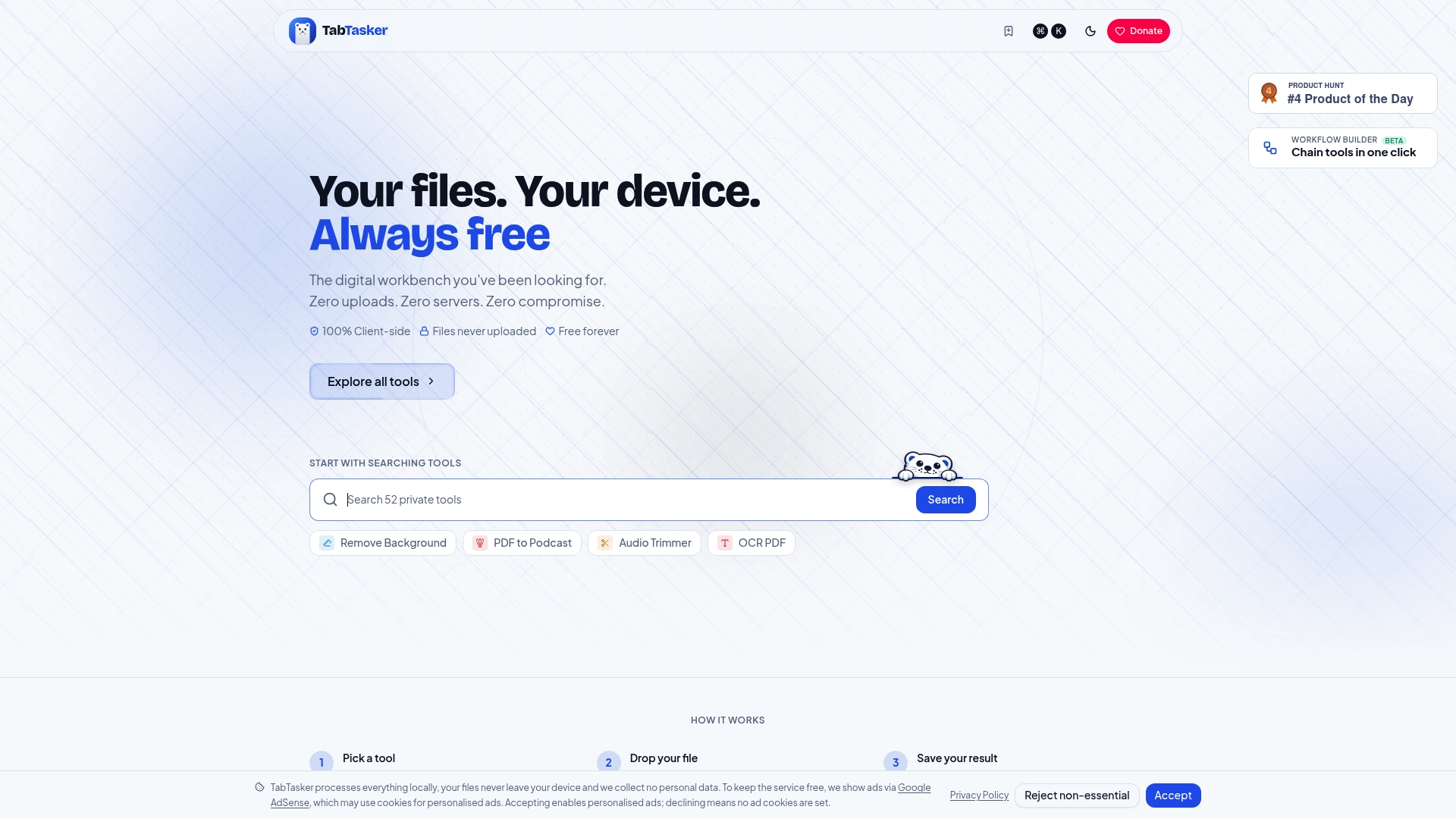
Tabtasker’s free offline OCR tool converts images to text directly in your browser. No upload. No account. No data leaving your device. For professionals handling contracts, medical records, or financial documents, that is not a minor feature. It is the whole point. Beyond OCR, Tabtasker offers a full suite of private, offline tools including PDF editing, image editing, and secure browser-to-browser file sharing for when you need to move processed documents without cloud exposure. Everything runs locally, everything is free, and nothing requires a sign-up.
FAQ
What does OCR stand for and what does it do?
OCR stands for Optical Character Recognition. It converts images of text, whether scanned, photographed, or digital, into editable and searchable machine-readable text.
How accurate is modern OCR technology?
Modern OCR algorithms achieve 99%+ accuracy on printed text under good conditions. Accuracy drops with poor image quality, handwriting, or unusual fonts, which is why validation layers are standard in professional deployments.
What is the difference between traditional OCR and ai-powered OCR?
Traditional OCR matches pixel patterns against stored character templates. AI-powered OCR uses neural networks to recognize text in sequence and context, making it significantly more reliable on complex, degraded, or handwritten documents.
Is OCR technology safe for sensitive documents?
Safety depends on the tool. Cloud-based OCR services upload your files to external servers, which creates exposure risk for sensitive data. Browser-based and local tools process files entirely on your device, with no upload required.
Can OCR read handwriting?
Some OCR engines handle handwriting, including Amazon Textract and Google Cloud Vision. Open-source tools like Tesseract have limited handwriting support. Accuracy on handwriting is lower than on printed text across all current engines.